


Although many people still associate Microsoft Advertising solely with Bing, the platform has evolved far beyond search advertising. Today, it spans Microsoft’s ecosystem, partner properties, and AI-powered solutions.
In recent years, Microsoft Advertising has gained renewed attention thanks to advancements in artificial intelligence, the expansion of its advertising network, and its ability to reach audiences that may be difficult to engage through other advertising platforms.
In this article, we’ll explore how Microsoft Advertising works, what ad formats it offers, where ads are displayed, and which types of businesses can benefit most from using the platform.
What Is Microsoft Advertising?
Microsoft Advertising is Microsoft’s online advertising platform that enables businesses to run search, shopping, display, and native advertising campaigns. It operates similarly to Google Ads: advertisers create campaigns, choose ad formats, define audiences, set budgets and bidding strategies, and the platform automatically serves ads to relevant users.
Today, however, Microsoft Advertising is much more than just advertising on Bing. The platform spans a broad ecosystem of Microsoft services and partner properties, allowing advertisers to reach users across multiple touchpoints throughout their online journey.
The Microsoft Advertising ecosystem includes:
- Bing — Microsoft’s search engine, where text ads, Shopping ads, Multimedia Ads, and other search ad formats are displayed.
- Microsoft Edge — Microsoft’s web browser, where ads can appear through the Microsoft Audience Network.
- MSN and Microsoft Start — Microsoft’s news and content platforms that support native and display advertising formats.
- Outlook — Microsoft’s email service, which is also part of the Microsoft Audience Network.
- Xbox — Microsoft’s gaming ecosystem, where the company is gradually introducing advertising solutions and brand opportunities.
- Copilot — Microsoft’s AI assistant, integrated into Bing and other Microsoft products. The company is progressively expanding advertising capabilities within AI-powered experiences.
- Microsoft Audience Network — Microsoft’s advertising network, which enables advertisers to deliver native and display ads across Microsoft-owned properties as well as partner websites and apps.
Thanks to this ecosystem, Microsoft Advertising enables businesses to reach users not only when they are actively searching, but also while browsing news, checking email, using the Edge browser, or interacting with Microsoft’s AI-powered services.
Available Microsoft Advertising Ad Formats
Microsoft Advertising supports a variety of campaign types designed to achieve different marketing objectives — from capturing high-intent search traffic to increasing brand awareness and leveraging AI-powered campaign automation. Below are the main advertising formats available on the platform.
Search Ads
Search Ads are the most widely used campaign type in Microsoft Advertising. These ads appear when users search for relevant keywords on Bing or Microsoft’s search partner websites. Advertisers can use keywords, ad extensions, automated bidding strategies, and Responsive Search Ads (RSAs) to maximize campaign performance.


Shopping Ads
Shopping Ads are designed for e-commerce businesses. These ads display product images, titles, prices, store names, and other information pulled from a product feed. To run Shopping campaigns, advertisers must set up a Microsoft Merchant Center and upload a product catalog.
Multimedia Ads
Multimedia Ads are an enhanced search advertising format that combines traditional text ads with rich visual elements, including images and brand logos. Compared to standard text ads, they occupy more space in search results, making them more noticeable and helping advertisers capture users’ attention.
Audience Ads
Audience Ads are native advertising placements delivered through the Microsoft Audience Network, including MSN, Microsoft Start, Outlook, Microsoft Edge, and selected partner websites. They are commonly used for brand awareness, remarketing, and engaging users during the consideration stage of the customer journey. Advertisers can target audiences using behavioral signals, remarketing lists, Customer Match, and selected LinkedIn Profile Targeting capabilities.
Dynamic Search Ads
Dynamic Search Ads (DSAs) automatically generate ads based on the content of an advertiser’s website. Instead of manually selecting keywords, Microsoft Advertising scans the website and determines which search queries are most relevant for each page. This format is particularly useful for websites with large product catalogs or extensive service offerings.
Performance Max
Performance Max is an AI-powered campaign type that uses Microsoft’s machine learning algorithms to identify potential customers and optimize ad delivery. Within a single campaign, Microsoft Advertising can serve ads across multiple Microsoft properties, combining eligible ad formats and automatically allocating budget to help achieve specific business goals, such as increasing conversions or driving sales.
Video Advertising
Unlike Google Ads, Microsoft Advertising does not offer a standalone video campaign type available to all advertisers. Video assets can be used within certain campaign types and Microsoft Advertising solutions, but their availability depends on the market, campaign type, and participation in specific Microsoft programs. Therefore, it’s recommended to verify whether video advertising is supported in your target region before planning a campaign.

Where Are Microsoft Ads Displayed?
Depending on the campaign type, Microsoft Advertising can display ads across Bing Search, Microsoft services, the Edge browser, Outlook, news and content platforms, partner websites and apps, as well as in emerging AI-powered experiences through Microsoft Copilot.
| Platform | Available Ad Formats |
|---|---|
| Bing | Search Ads, Shopping Ads, Multimedia Ads, Dynamic Search Ads |
| Microsoft Edge | Audience Ads (native and display advertising) |
| Outlook | Audience Ads (native and display advertising) |
| MSN | Audience Ads (native and display advertising) |
| Microsoft Start | Audience Ads (native and display advertising) |
| Microsoft Audience Network partner sites | Display Ads and Native Ads |
| Copilot | Ads may appear in selected Copilot experiences. Currently, these placements are supported for certain campaign types, including Performance Max, and their availability depends on the market and Microsoft’s phased rollout. |
This broad ecosystem allows advertisers to engage potential customers throughout the entire customer journey — from building brand awareness to driving conversions and purchases.
Microsoft Advertising Targeting Options
Microsoft Advertising offers a wide range of targeting capabilities that help advertisers reach users who are most likely to engage with an ad or complete a conversion. Depending on the campaign type, multiple targeting methods can be combined to improve campaign performance.
Keywords
For search campaigns, keywords remain the primary targeting method. Ads are shown to users who search for relevant terms on Bing and Microsoft’s search partner network. The platform supports multiple keyword match types, as well as negative keywords to prevent ads from appearing for irrelevant searches.
Remarketing
Remarketing allows advertisers to reconnect with users who have previously visited their website or completed specific actions. It helps re-engage potential customers, increase conversions, and improve overall campaign performance.
Customer Match
Customer Match enables advertisers to upload their own customer lists — such as email addresses — and show ads to matched Microsoft users. This feature is commonly used for customer retention, loyalty campaigns, upselling, and personalized marketing initiatives.
LinkedIn Profile Targeting
One of Microsoft Advertising’s unique capabilities is LinkedIn Profile Targeting. Advertisers can adjust bids based on a user’s company, industry, or job function using LinkedIn profile data. This feature is particularly valuable for B2B companies looking to reach professional audiences.
Location
Location targeting enables advertisers to show ads to users in specific countries, regions, cities, or within a defined radius of a particular location.
Device
Microsoft Advertising supports device targeting, allowing campaigns to be optimized for desktops, smartphones, or tablets depending on business objectives and audience behavior.
Demographics
Advertisers can target audiences based on demographic attributes such as age and gender. These signals can be used to refine audience targeting or apply bid adjustments for specific demographic groups.
In-market Audiences
In-market Audiences are predefined audience segments that identify users who, based on Microsoft’s behavioral signals, are actively researching or considering products and services within a particular category. This targeting option helps advertisers reach potential customers who are closer to making a purchase decision.
Note: The availability of certain targeting options depends on the campaign type, country, and market. Before launching a campaign, it’s recommended to verify which targeting features are supported in your target region.
Microsoft Advertising vs. Google Ads
Microsoft Advertising and Google Ads operate on similar principles. Both platforms allow advertisers to run search, shopping, and selected display campaigns, use automated bidding strategies, remarketing, and a variety of audience targeting options. However, there are several important differences that may influence which platform is the better fit for a particular business or marketing strategy.
| Google Ads | Microsoft Advertising |
|---|---|
| Largest global user reach | Smaller reach but lower competition in many industries |
| Google Search, YouTube, Gmail, Google Display Network | Bing, Microsoft Audience Network, Outlook, MSN, Microsoft Start, Edge |
| Often higher competition for popular keywords | CPC may be lower in many industries due to reduced competition |
| Focused on the Google and Android ecosystem | Integrated with the Microsoft and Windows ecosystem |
| Does not offer targeting based on LinkedIn profile data | Supports bid adjustments based on LinkedIn company, industry, and job function |
| Best suited for maximizing reach | Particularly effective for the U.S., Canadian, and B2B markets |
These platforms should not be viewed as direct substitutes. For many international businesses, Microsoft Advertising complements Google Ads by helping reach additional audiences that actively use Microsoft products or prefer Bing as their search engine.
Another advantage of Microsoft Advertising is its ability to import campaigns directly from Google Ads. Advertisers can quickly transfer existing campaigns, keywords, ads, and many campaign settings without rebuilding everything from scratch. Once imported, campaigns can be tailored to the Microsoft ecosystem and further optimized for performance.
If your primary market is Ukraine, Microsoft Advertising is unlikely to become your main advertising channel due to its relatively limited audience. However, for businesses targeting the United States, Canada, or the United Kingdom, it can be a valuable complement to Google Ads, helping expand reach and connect with users who are more difficult to engage through other advertising platforms.
Who Should Use Microsoft Advertising?
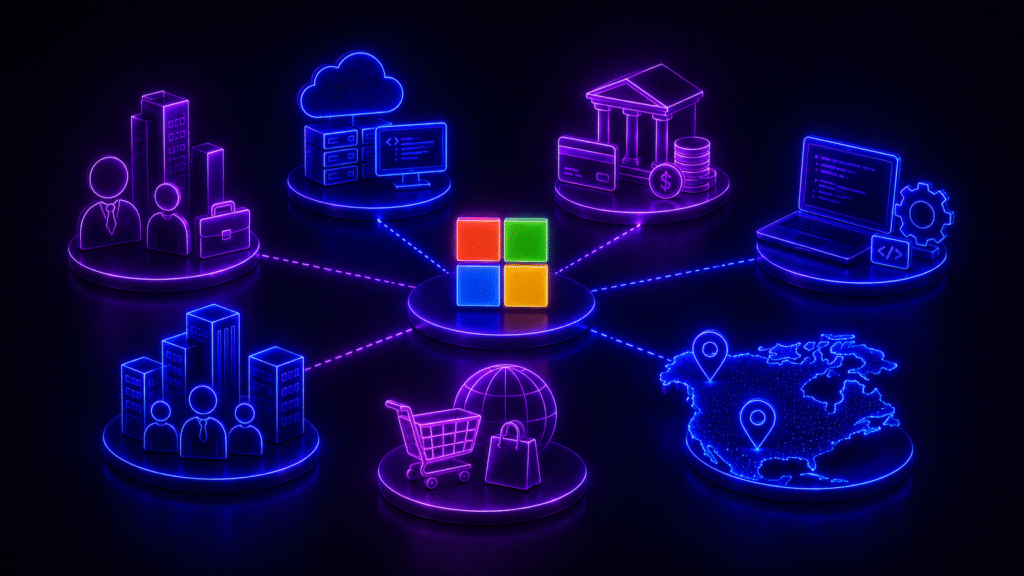
Microsoft Advertising is not intended to replace Google Ads. Instead, it serves as an effective source of additional traffic and conversions for specific industries and markets. It delivers the greatest value to businesses targeting international audiences or looking to reach users within the Microsoft ecosystem.
B2B Companies
Microsoft Advertising is particularly valuable for B2B businesses thanks to LinkedIn Profile Targeting. This feature allows advertisers to adjust bids based on a user’s company, industry, or job function, making it easier to reach highly relevant professional audiences.
SaaS and IT Companies
For SaaS providers, cloud services, and technology companies, Microsoft Advertising can be an effective customer acquisition channel. A large portion of Microsoft ecosystem users actively rely on Windows, Microsoft 365, Outlook, and other enterprise products, making the platform especially well suited for promoting digital solutions.
Financial Services
Banks, insurance providers, fintech companies, and other financial organizations can use Microsoft Advertising to reach users searching for relevant financial services on Bing or engaging with Microsoft’s ecosystem.
Enterprise Businesses
For companies targeting large organizations and enterprise clients, Microsoft Advertising can be a valuable addition to their marketing mix. Thanks to its integration with LinkedIn Profile Targeting and Microsoft’s strong presence in corporate environments, the platform enables advertisers to reach professional audiences more effectively.
International E-commerce
Online retailers selling products outside Ukraine can use Search Ads and Shopping Ads to reach potential customers through Bing. This is particularly valuable in markets where Microsoft’s search engine has a stronger market share and can deliver additional qualified traffic.
Businesses Targeting the U.S. and Canada
Microsoft Advertising is the most widely adopted in North America. If your business targets customers in the United States or Canada, the platform should be considered an important addition to your digital marketing strategy alongside Google Ads. In these markets, Bing holds a significantly larger share of the search market than in most other regions, allowing advertisers to reach additional audiences and reduce reliance on a single advertising platform.


For businesses operating exclusively in the Ukrainian market, Microsoft Advertising can still be worth testing, but it is typically used as a supplementary advertising channel. Due to Bing’s relatively small market share in Ukraine, Google Ads generally remains the primary source of search traffic.
Advantages and Disadvantages of Microsoft Advertising
Microsoft Advertising can be a valuable platform for businesses looking to expand beyond Google Ads, test additional traffic sources, or target markets where Microsoft products have a stronger presence. At the same time, the platform has several limitations that should be considered before launching a campaign.
Advantages of Microsoft Advertising
- Lower Competition in Certain Industries
Microsoft Advertising generally has fewer advertisers than Google Ads. While this doesn’t guarantee low competition in every market, businesses in certain industries may benefit from a less competitive auction environment and gain access to additional audiences that are not easily reached through Google.
- Potentially Lower CPC
Because competition is lower in some industries, the cost per click (CPC) on Microsoft Advertising can be lower than on Google Ads. However, this is not a universal rule. CPC varies depending on factors such as the target market, industry, search demand, campaign quality, and the level of competition within a specific auction.
- Google Ads Campaign Import
Microsoft Advertising allows advertisers to import campaigns directly from Google Ads, making it much easier to get started. Campaigns, ad groups, keywords, ads, and many campaign settings can be transferred quickly and then optimized to fit the Microsoft ecosystem.
- LinkedIn Profile Targeting Integration
One of Microsoft Advertising’s standout features is its integration with LinkedIn Profile Targeting. Advertisers can adjust bids based on a user’s company, industry, or job function. This capability is particularly valuable for B2B, SaaS, IT, and enterprise businesses looking to reach professional audiences more effectively.
- Reach Across the Microsoft Ecosystem
Microsoft Advertising gives advertisers access to users across Microsoft’s ecosystem, including Bing, Edge, Outlook, MSN, Microsoft Start, and other properties within the Microsoft Audience Network. Search ads can also appear on Microsoft’s search partners, including Yahoo and DuckDuckGo.
- Access to Professional Audiences
Microsoft has a strong presence in enterprise environments through products such as Windows, Microsoft 365, Outlook, and Microsoft Teams. As a result, Microsoft Advertising is particularly well-suited for businesses selling products or services to other businesses, targeting B2B customers, or seeking to reach professional audiences.
Disadvantages of Microsoft Advertising
- Smaller Reach Than Google Ads
The main limitation of Microsoft Advertising is its smaller scale. Google remains the dominant search engine in most countries, so Microsoft Advertising is rarely used as a complete replacement for Google Ads. Instead, it is typically employed as a complementary channel to expand reach and diversify a company’s digital advertising strategy.
- Limited Reach in Ukraine
For businesses targeting the Ukrainian market, Microsoft Advertising offers more limited opportunities due to Bing’s relatively small market share and the lower adoption of Microsoft’s search ecosystem. As a result, businesses focused exclusively on Ukraine should generally view the platform as a testing or supplementary channel rather than their primary source of search traffic.
- Not All Campaign Types Are Available in Every Market
The availability of campaign types, targeting options, and advertising products in Microsoft Advertising varies depending on the country, language, account type, and campaign format. Before launching a campaign, it’s important to verify that the features you plan to use are supported in your target market.
- AI Features Are Still Being Rolled Out
Microsoft continues to expand its AI-powered advertising capabilities, including Performance Max and advertising opportunities within Copilot. Performance Max is positioned as an AI-driven campaign type that helps advertisers reach customers across Microsoft’s inventory, while Microsoft has indicated that PMax can also help increase visibility in Copilot experiences. However, the availability of certain AI-powered placements and features depends on the market and Microsoft’s phased rollout strategy.

How to Launch Ads in Microsoft Advertising
Launching a campaign in Microsoft Advertising is very similar to working with Google Ads. If you already have experience with digital advertising platforms, you’ll find the interface familiar and easy to navigate.
1. Create an Account
The first step is to sign up for Microsoft Advertising, create an advertising account, and configure your billing information. Once your account is set up, you can either create a new campaign or import an existing one.
2. Create a New Campaign or Import One from Google Ads
If you’re already running campaigns in Google Ads, Microsoft Advertising allows you to import them, including campaign structures, ad groups, keywords, and ads. This significantly speeds up the setup process. After importing, it’s recommended to review the campaign settings and optimize them for the Microsoft ecosystem.
3. Choose a Campaign Type
Next, select the campaign type that best aligns with your business objectives. Microsoft Advertising supports several campaign types, including Search Ads, Shopping Ads, Audience Ads, Multimedia Ads, Dynamic Search Ads, and Performance Max.
4. Configure Your Targeting
At this stage, define the audience you want to reach. Depending on the campaign type, you can configure keywords, geographic targeting, devices, demographic settings, remarketing, Customer Match, and other available targeting options.
5. Set Your Budget and Bidding Strategy
Once your audience has been defined, set your daily or overall campaign budget and choose a bidding strategy that aligns with your objectives. Depending on your goals, you can optimize for metrics such as clicks, conversions, or target cost per acquisition (Target CPA).
6. Set Up Conversion Tracking
To accurately measure campaign performance, you need to install the Universal Event Tracking (UET) tag and configure conversion goals in Microsoft Advertising. If you’ve imported campaigns from Google Ads, conversion tracking must be set up separately, as conversion actions are not transferred during the import process.
7. Monitor and Optimize Your Campaigns
Once your campaign is live, regularly monitor its performance by analyzing search queries, CTR, CPC, conversions, audience performance, bidding strategies, and ad creatives. Continuous optimization is essential for improving campaign performance and making the most of your advertising budget.
If you’re planning to expand into international markets or want to evaluate whether Microsoft Advertising is the right channel for your business, the newage. team can help. We provide end-to-end support—from developing your advertising strategy and launching campaigns to implementing analytics and continuously optimizing performance. Get in touch with us to find out whether Microsoft Advertising can become a new growth channel for your business.
FAQ: Frequently Asked Questions About Microsoft Advertising
What is Microsoft Advertising?
Microsoft Advertising is Microsoft’s online advertising platform that allows businesses to run search, shopping, display, and native advertising campaigns. Ads can appear across Bing, Microsoft Edge, Outlook, MSN, Microsoft Start, and other Microsoft-owned properties and partner websites.
How is Microsoft Advertising different from Google Ads?
Both platforms operate in a similar way, but Microsoft Advertising has a smaller audience and often lower competition. It also offers unique capabilities, such as LinkedIn Profile Targeting, which allows advertisers to adjust bids based on professional attributes. For many international businesses, Microsoft Advertising serves as a valuable complement to Google Ads rather than a replacement.
Can I import campaigns from Google Ads?
Yes. Microsoft Advertising supports importing campaigns from Google Ads, allowing you to transfer campaign structures, ad groups, keywords, and ads. After the import, it’s recommended to review your settings and optimize the campaigns for the Microsoft Advertising ecosystem.
Which businesses benefit the most from Microsoft Advertising?
Microsoft Advertising is particularly effective for B2B companies, SaaS and IT businesses, financial services, enterprise organizations, and international e-commerce brands. It is especially valuable for businesses targeting the United States, Canada, and other markets where Bing has a stronger share of the search market.
Is Microsoft Advertising worth using in Ukraine?
Yes, but primarily as a supplementary advertising channel. Because Bing’s market share in Ukraine is relatively small, Google Ads continues to generate most search traffic. However, Microsoft Advertising can still be valuable for testing additional traffic sources or for businesses focused on international markets.